Pick your assistant to see the exact steps. Takes about two minutes. Your loads, trucks and drivers stay in Numeo; the assistant works through your own Numeo login.
Use the button above, or in Claude click Plugins in the sidebar and search “Numeo”.
2
Add it.
Click Add on the Numeo page.
3
Sign in.
Sign in with your Numeo account when Claude asks.
4
Turn it on in a chat.
In a chat, click +, open Plugins and make sure Numeo is switched on.
Try asking Claude
Which of my trucks and drivers are free tomorrow?
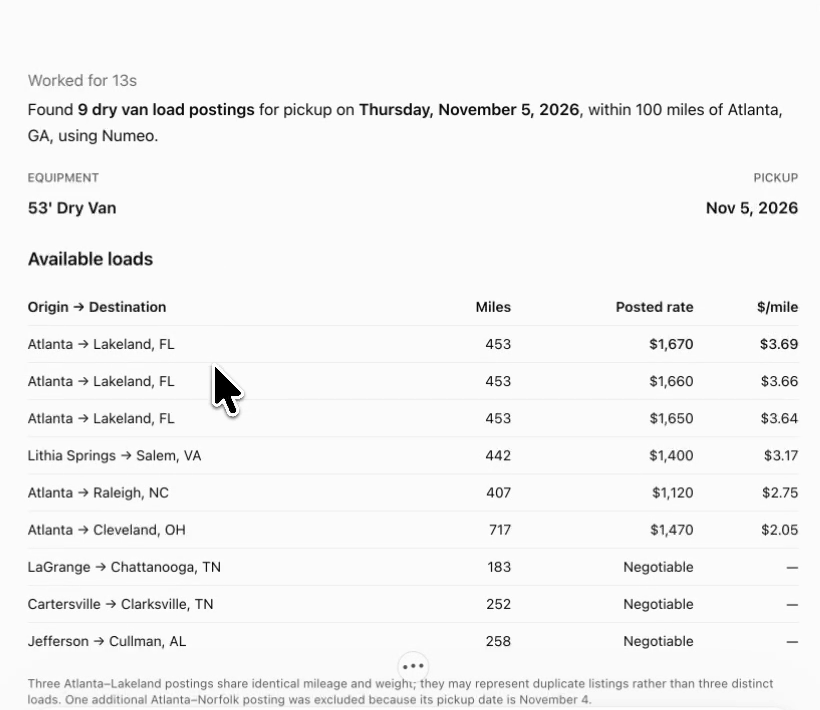
Find dry van loads out of Chicago picking up tomorrow.
Which delivered loads are ready to invoice?
Can’t find it?Add it yourself: in Plugins, click Add › Add custom connector, name it “Numeo” and paste this as the MCP server URL.
On a Team or Enterprise plan?An owner may need to allow Numeo for your organization first.
Change your mind?Remove Numeo anytime from Plugins in the sidebar.
FAQ
A few answers before you connect.
Do I need a Numeo account?+
Yes. You sign in with the same login you use for Numeo, so the assistant sees your company’s loads, trucks, drivers and invoices. New to Numeo? You can start free.
Which assistants work with Numeo?+
Claude, ChatGPT and Grok, plus any assistant that supports remote MCP servers with OAuth sign-in. In Claude, Numeo is in the plugin directory. In ChatGPT and Grok, you add it with its server address for now.
Which plan do I need?+
Plugin and connector options depend on your assistant’s plan and workspace settings. On a team, enterprise or work account, an admin may need to allow Numeo first.
Is my data safe?+
You connect by signing in to Numeo, not by giving the assistant a password. Each tool follows your Numeo plan and permissions, and you can disconnect at any time from your assistant’s settings.
Can the assistant change anything in Numeo?+
Not yet. Numeo in your AI chat reads information: it does not book loads, send emails or change records. A broker check does not guarantee safety or payment.
Where do the loads and market rates come from?+
Load search uses the load boards connected to your Numeo account. Market rates come from Numeo’s own observed load data. Some lanes have too little data to report a rate.
Why do ChatGPT and Grok need an address?+
Numeo isn’t in their directories yet. Until it is, you add Numeo by pasting its server address, https://mcp.numeo.ai, then sign in the same way.